























SOME OF OUR VALUED CUSTOMERS
Plan & Organize
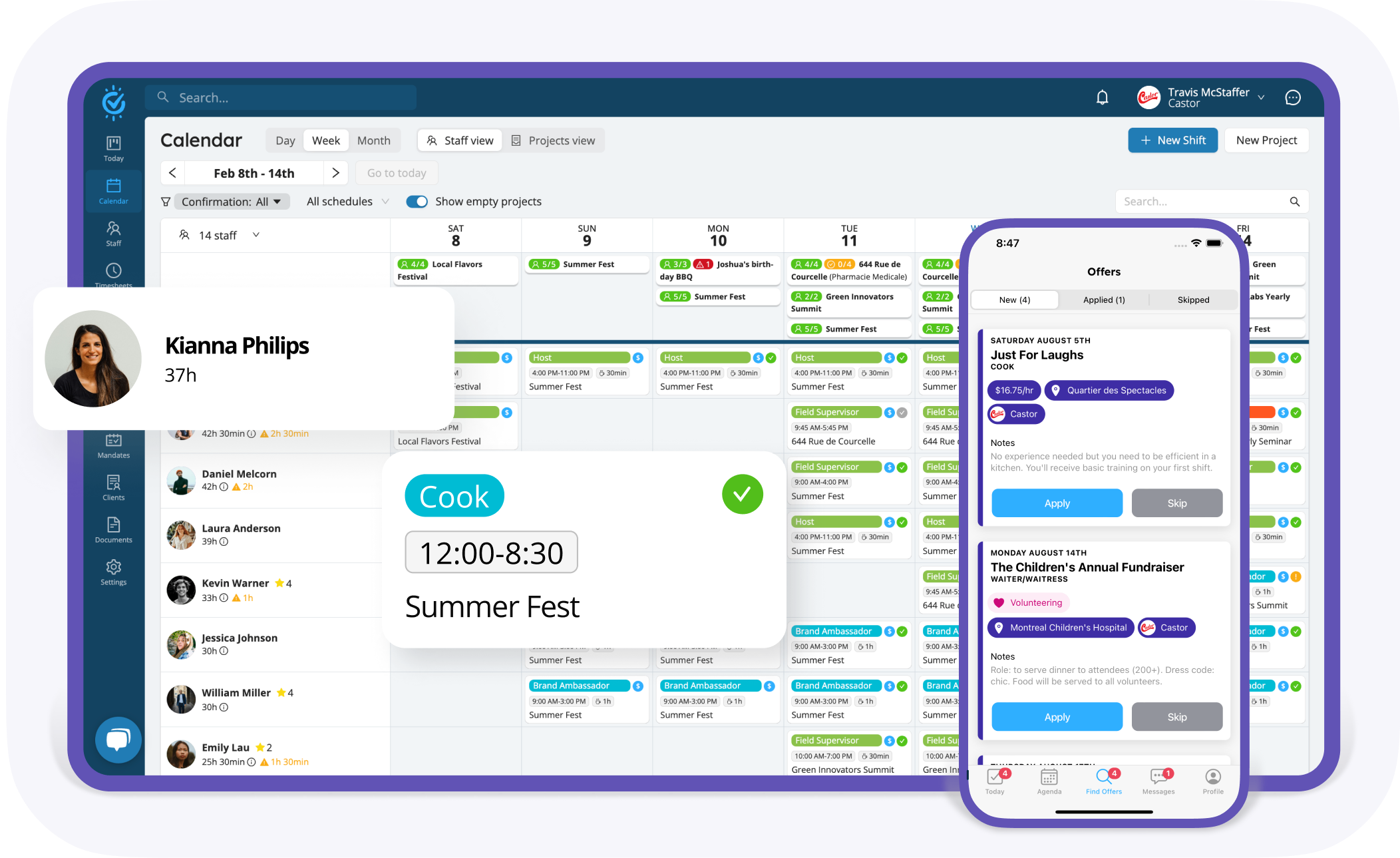
Calendar Views – All Your Schedules at a Glance
Stay on top of every shift with a real-time, organized view fo your workforce.
- All-in-One Overview: easily switch between staff and project views
- Availability Tracking: monitor hours and planned shifts effortlessly
- Clear Status Indicators: instantly spot completed vs. pending shifts
- Mobile Access : manage schedules anytime, anywhere

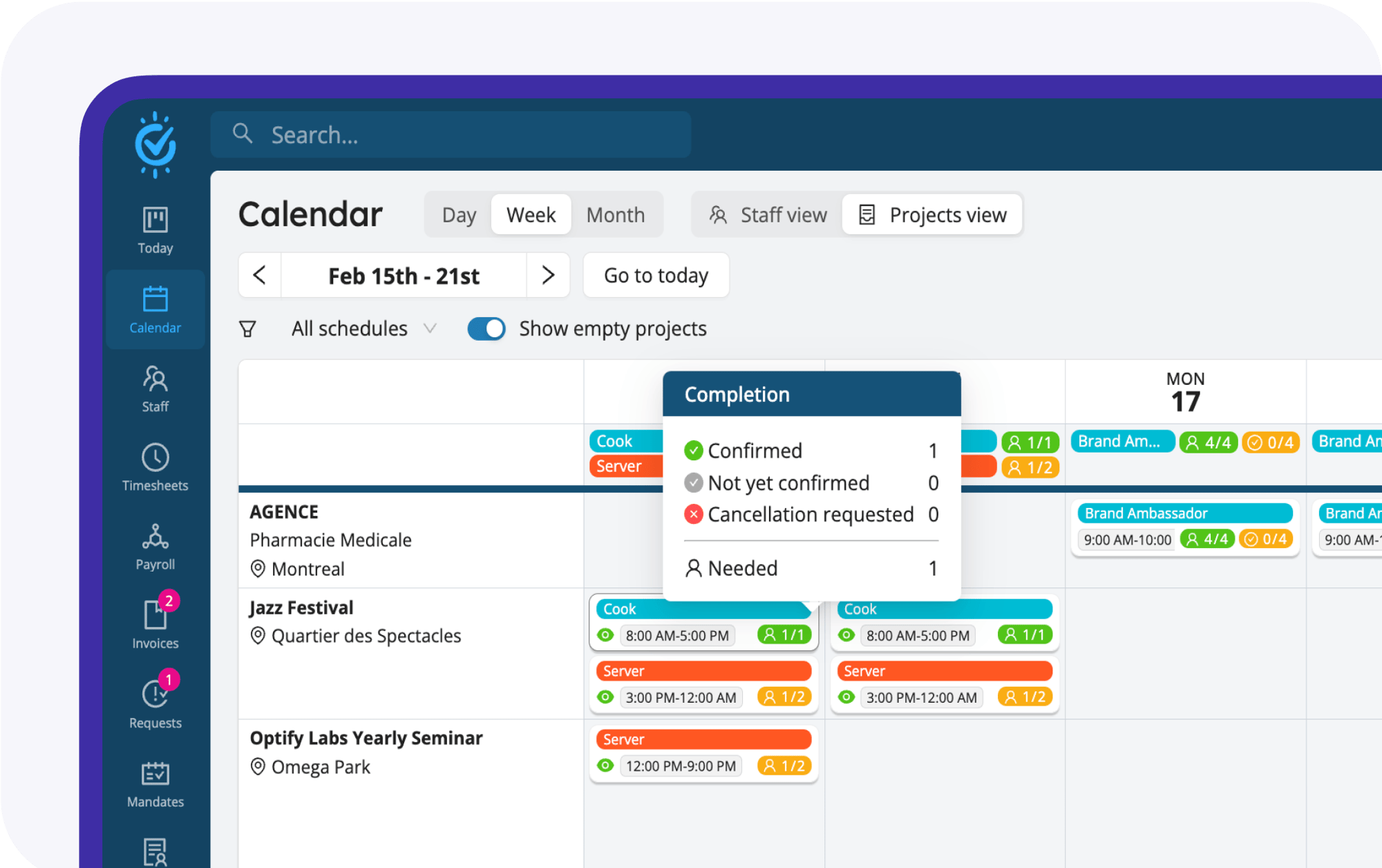
Project Overview
Gain a clear, department-based view of ongoing projects and team schedules.
Smart Alerts
Instantly identify late shifts, uncovered slots, and confirmed bookings.
Availability Control
Set availability rules and manage scheduling preferences with ease.
Assign & Distribute
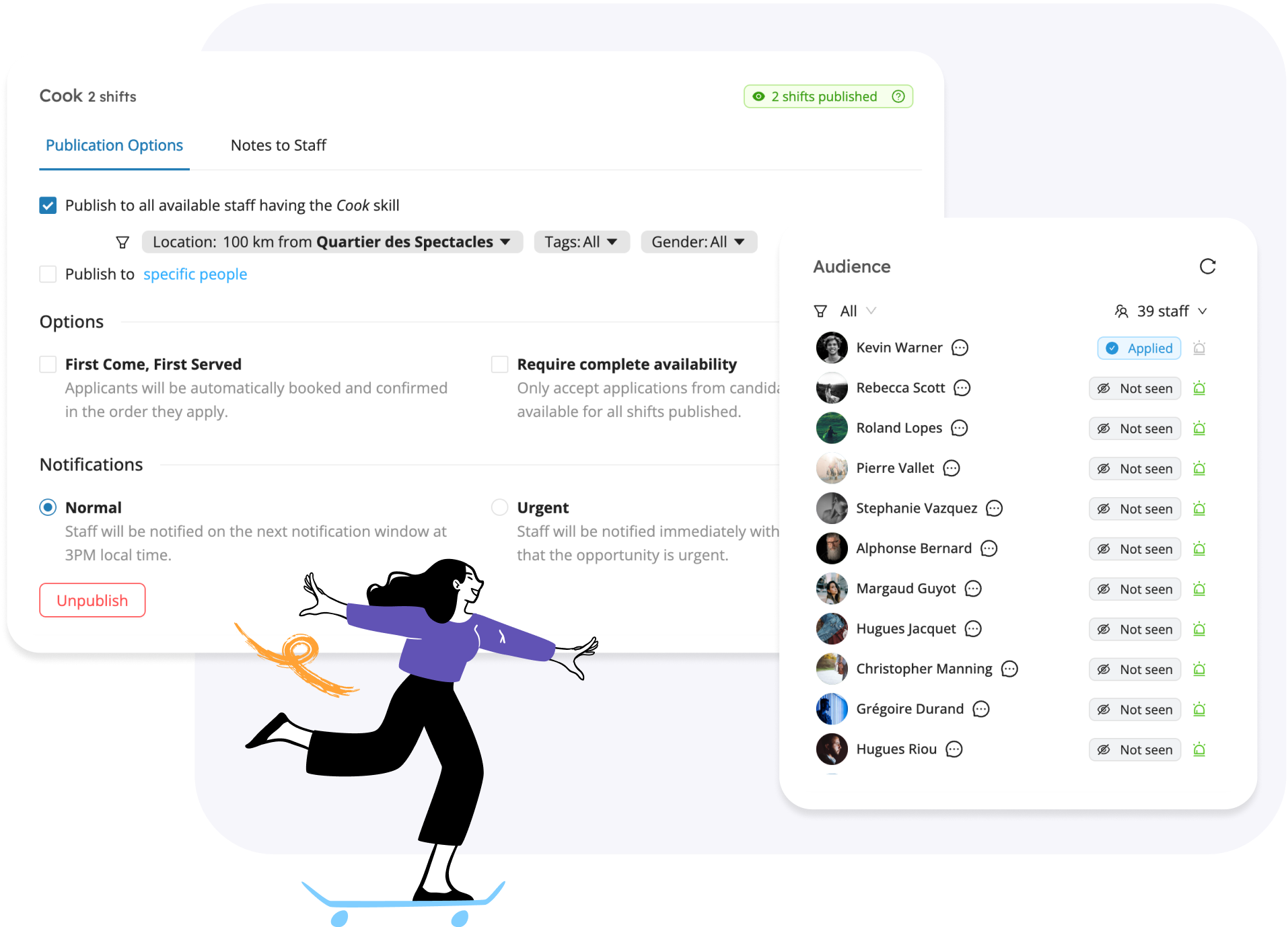
Smart Job Posting- Fill Shifts Effortlessly
Automate staffing with intelligent job distribution and get the right people in place- fast.
- Publish shift instantly to the right staff
- Filter candidates by skills, location & availability
- Prioritize urgent positions with real-time notifications
- Control who sees the job posting
- Let staff claim shifts instantly with our First Come, First Served option
Manage & Optimize
Smart Scheduling Makes Staff Booking a Breeze
Create, edit, and automate schedules in just a few clicks.
Management Teams
Assign specific managers to clients and projects.
Employee Schedule Templates
Save time by repeating schedules, shifts and teams.
Centralized Information
Manage shifts, breaks, pay rates, offers, timesheets, and more—all in one place.
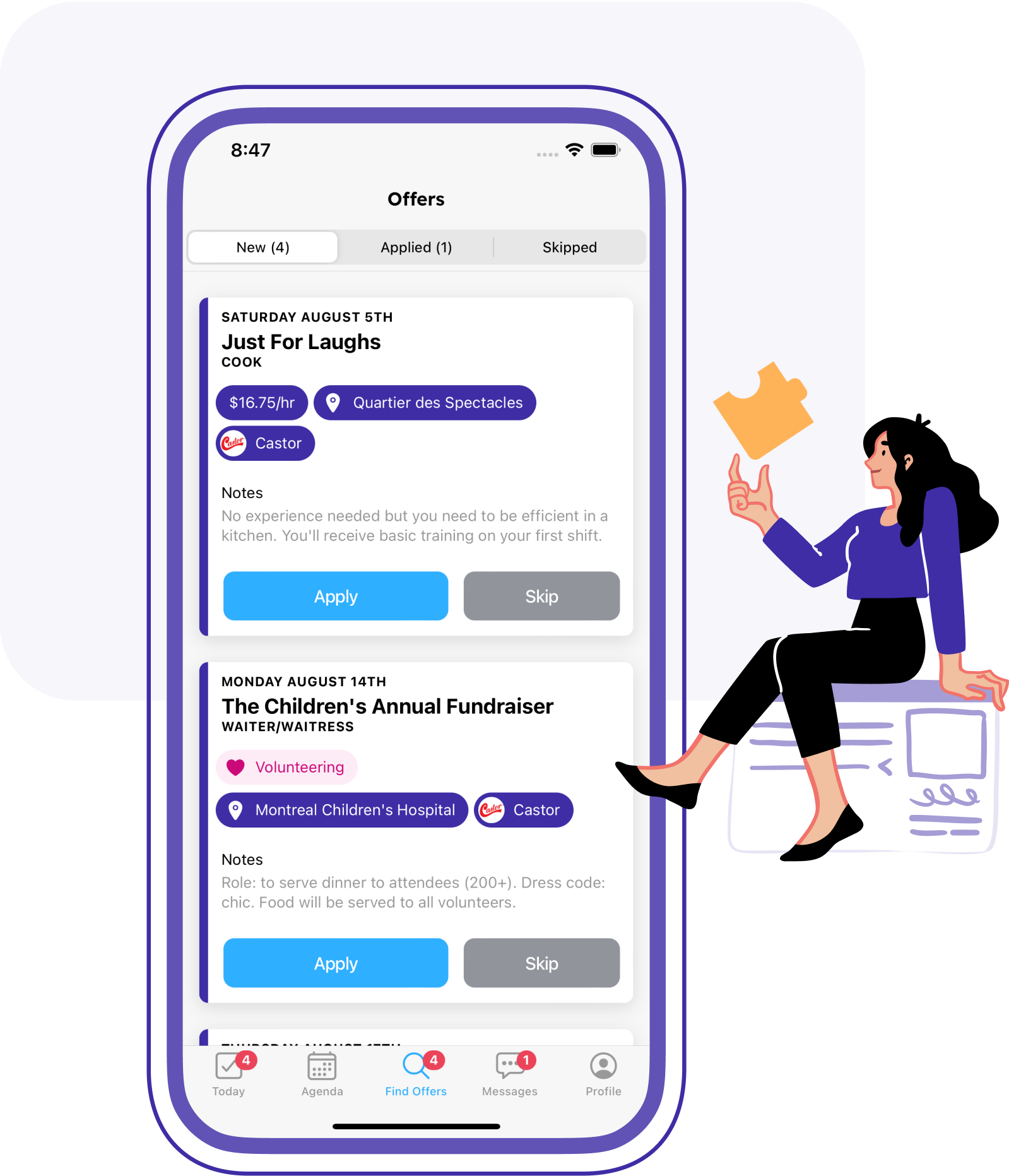
Has It All Planned
- Quick booking
- Timesheet management
- Reminders and notifications
- Instant messaging & broadcasts
- Various clock in/out modes
- Easy staff access to schedules and offers
- Mobile app for workers and managers
- Availability control
- Reports exports
Frequently Asked Questions
What are the core concepts of scheduling in Workstaff?
Scheduling in Workstaff is built on 5 main concepts: Projects, Schedules, Shifts, Bookings, and Positions. This logical structure centralizes your workforce management and eliminates the chaos of endless Excel spreadsheets.
What is a Project and what do I need to create one?
A Project is the foundation of your planning in Workstaff. It is the space where you create the different shifts for which you can book staff, whether it spans one day or more. You only need simple information to start: a name, the date(s), and the location (city or address).
How do Shifts and Positions work together?
A Shift specifies your time, staff, and position requirements within a project. To create a shift, you must assign a Position (which matches the skills associated with your staff profiles), set the start and end times, and specify the number of staff needed. You can also add labels, breaks, or travel time.
How does the staff Booking process work?
A Booking is the action of officially assigning your staff to your shifts. Workstaff streamlines this step with Suggestions based on staff availability, skills, and grades. Alternatively, you can use the Candidates tab to see who has applied, review applications, and book your team in real-time.
Can I save time when creating multiple Schedules?
A Schedule is made up of your created shifts. Workstaff allows you to repeat a schedule by simply copying and pasting it onto other dates. To save maximum time, this option also allows you to automatically assign the exact same team to the repeated schedule with a single click.